How to Download CIBIL Report PDF for Free 2026 Guide
Your CIBIL score is a single number. Your CIBIL report is the full story behind it: every loan, every credit card, every payment and every time a lender has checked your credit. Before you apply for a personal loan or credit card, downloading and reading this report is one of the smartest things you can do.
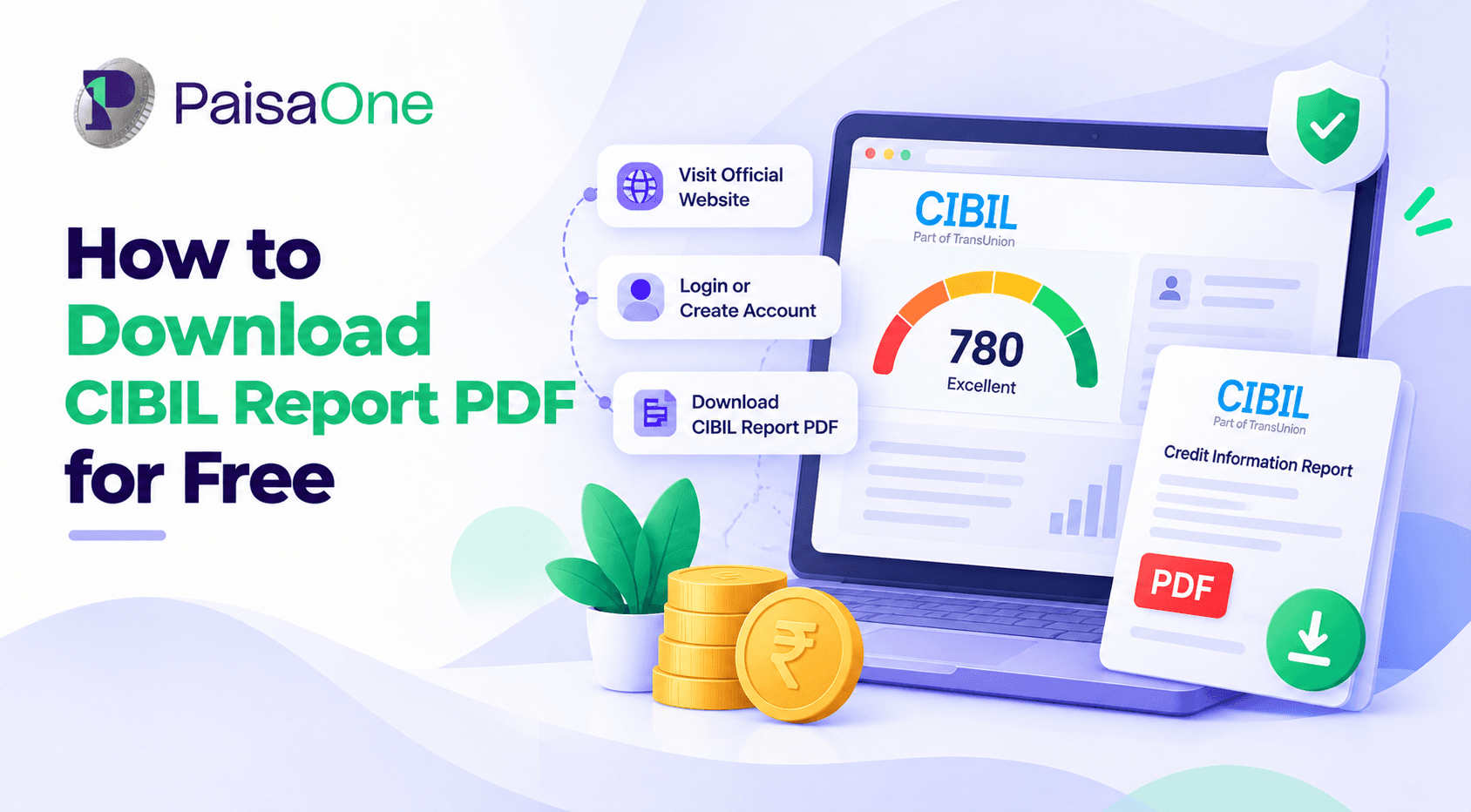
Quick answer: Go to the official TransUnion CIBIL website, register or log in to myCIBIL, verify your identity with an OTP, then open "View Report" to see your full credit report. You can download it as a PDF from your dashboard. Every individual is entitled to one free full CIBIL report per calendar year.
This guide walks you through the download step by step, explains how to open the password-protected PDF, and shows you what to check once you have it.
What Is a CIBIL Report?
A CIBIL report, officially called a Credit Information Report (CIR), is a detailed record of your credit history compiled by TransUnion CIBIL. Banks, NBFCs and other lenders regularly send CIBIL information about the loans and credit cards you hold and how you repay them.
The report includes your CIBIL score (between 300 and 900), your personal and contact details, the loans and cards in your name, your repayment record, and a list of recent credit enquiries. Lenders read this report, not just your score, when deciding whether to approve your application and what interest rate to offer.
Before You Start: What You Need
Keep these ready to finish in one go:
Your PAN card (or another ID such as passport, voter ID, driving licence or Aadhaar)
Your date of birth, exactly as on your ID
The mobile number and email address you use with your bank
A few minutes to answer identity questions about your loans or cards
How to Download Your CIBIL Report from the Official CIBIL Website
This is the most reliable route because the report comes straight from the bureau.
If You Are a First-Time User
Visit the official CIBIL website and choose the option to get your free CIBIL score and report.
Create your account. Enter your name, email address and mobile number, and set a password.
Add your ID details. Select an ID type, such as PAN, and enter the number along with your date of birth, gender and address details.
Verify with OTP. Enter the one-time password sent to your registered mobile number.
Answer identity questions if asked. CIBIL may ask about your existing loans or credit cards to confirm it is really you.
Choose the free report. Select the free annual report option. Paid plans offer more frequent updates, but you do not need one for your yearly free report.
View your report. Your CIBIL score and full report will appear on your myCIBIL dashboard.
If You Already Have a myCIBIL Account
Log in to myCIBIL with your username and password, then verify with the OTP sent to your mobile.
Open "View Report" from the home page to see your latest score and report.
Download the PDF. Use the download option on your dashboard. CIBIL also keeps your earlier reports in the History section, where you can download or email a PDF copy of any past report.
Save it securely on your personal device.
Button names on the CIBIL website occasionally change, but the flow of log in, view report and download stays the same.
Other Ways to Get Your CIBIL Report
Besides CIBIL's own website, you can access your CIBIL score and report through:
Your bank's net banking or app. Many banks offer a CIBIL score or report check to their customers.
Credit score apps and financial platforms. Several apps show your CIBIL score and some let you view or download the report. Check which bureau an app uses, as many show Experian or CRIF instead of CIBIL. Our guide to the best credit score apps explains this.
PaisaOne. You can check your CIBIL score for free on PaisaOne and see loan offers that match your profile.
If you only want your score quickly, see our guide on how to check your CIBIL score using your PAN card.
How to Open a Password-Protected CIBIL Report PDF
Your CIBIL report PDF is password-protected to keep your financial data private. This is where many people get stuck, and online advice often conflicts. The reason is simple: the password depends on who generated the PDF. A report downloaded from CIBIL directly, from your bank, or from a partner platform may each use a different format.
Step 1: Check the email or SMS. When a report is emailed to you or downloaded, the accompanying email or SMS usually states the password format or the password itself. Start here.
Step 2: Try the common formats. If you cannot find the instructions, these are the formats most often used:
Your date of birth, such as DDMMYYYY
The first four letters of your first name followed by your birth year
The first four letters of your first name followed by the last four digits of your registered mobile number
Pay attention to upper and lower case, as passwords are case-sensitive. Some platforms add a filler character when your first name has fewer than four letters, which is usually explained in their email.
Step 3: Download again if needed. If none of these work, log in again and re-download or email the report to yourself, then check the new message for password instructions.
Once open, save the file somewhere private and avoid sharing it on public or shared computers.
Forgot Your CIBIL Login?
If you cannot remember your CIBIL username or password, use the "Forgot Username" or "Forgot Password" option on the consumer login page of the CIBIL website. You will usually need your registered email address and may need to verify with an OTP. Do not use the "Partner" or "Member" login options, as these are meant for banks and lenders, not individual consumers.
What to Check in Your CIBIL Report
Downloading the report is only half the job. Reading it carefully helps you catch problems before a lender does.
Red flags to look for:
DPD (days past due) above zero: Shows late payments. Check that each one is accurate.
"Written-off" or "settled" status: These seriously hurt your score. Make sure they are correct and that fully paid loans are not marked as settled.
Accounts you do not recognise: Could be a reporting error or identity misuse.
Enquiries you did not make: Multiple unknown enquiries may signal someone applying for credit in your name.
If your score looks different from what another app shows, our guide on credit score vs CIBIL score explains why.
Found an Error? How to Raise a Dispute
If something in your report is wrong, you can raise a dispute directly with TransUnion CIBIL through the dispute resolution option in your myCIBIL account. Choose the section with the error, describe the problem and submit any supporting documents, such as a loan closure letter or NOC. CIBIL marks the item as "under dispute" and checks it with the lender that reported it.
Under RBI rules, bureaus and lenders must resolve complaints within set timelines, and borrowers are entitled to compensation if corrections are delayed. You can also contact your lender directly, since the correction ultimately comes from the lender's data.
How Long Is a CIBIL Report Valid?
A CIBIL report does not have a formal expiry date, but it only reflects your credit history on the day it was generated. Since July 2026, lenders report credit data to bureaus weekly, so your report can change within days of a payment, a new loan or an account closure.
Lenders always pull a fresh report when you apply, so the copy you download is mainly for your own review. Download a new one shortly before any important application so you are looking at the same information the lender will see.
Frequently Asked Questions
Can I download my CIBIL report for free?
Yes. Under RBI rules, you are entitled to one free full credit report from TransUnion CIBIL every calendar year. Additional reports on the CIBIL website usually need a paid subscription, though some banks and financial platforms offer free CIBIL score checks more often.
What is the password for my CIBIL report PDF?
It depends on who generated the report. Check the email or SMS that came with it, which usually explains the password. Common formats include your date of birth, or the first four letters of your first name combined with your birth year or the last four digits of your mobile number. Passwords are case-sensitive.
Can I download my CIBIL report without a PAN card?
Yes. CIBIL accepts other government IDs such as a passport, voter ID or driving licence for verification. PAN is the most commonly used ID and is often the quickest way to match your credit records.
How do I download an old CIBIL report?
Log in to your myCIBIL account and open the History section. It lists your earlier reports, and you can download or email a PDF copy of any of them.
Does downloading my CIBIL report reduce my credit score?
No. Checking or downloading your own CIBIL report is a soft inquiry and has no effect on your score. Only hard inquiries, made by lenders when you apply for credit, can lower it slightly.
Why does my CIBIL report show NA or NH?
NA or NH means CIBIL does not have enough credit history to calculate a score, usually because you have never had a loan or credit card, or have had one only briefly. It is not a negative mark. Using a small credit product responsibly will build your history over time.
Liked this article?
Share it with your friends or get an instant summary with AI.