SBI WhatsApp Banking: Complete Guide to Register, and Check Balance
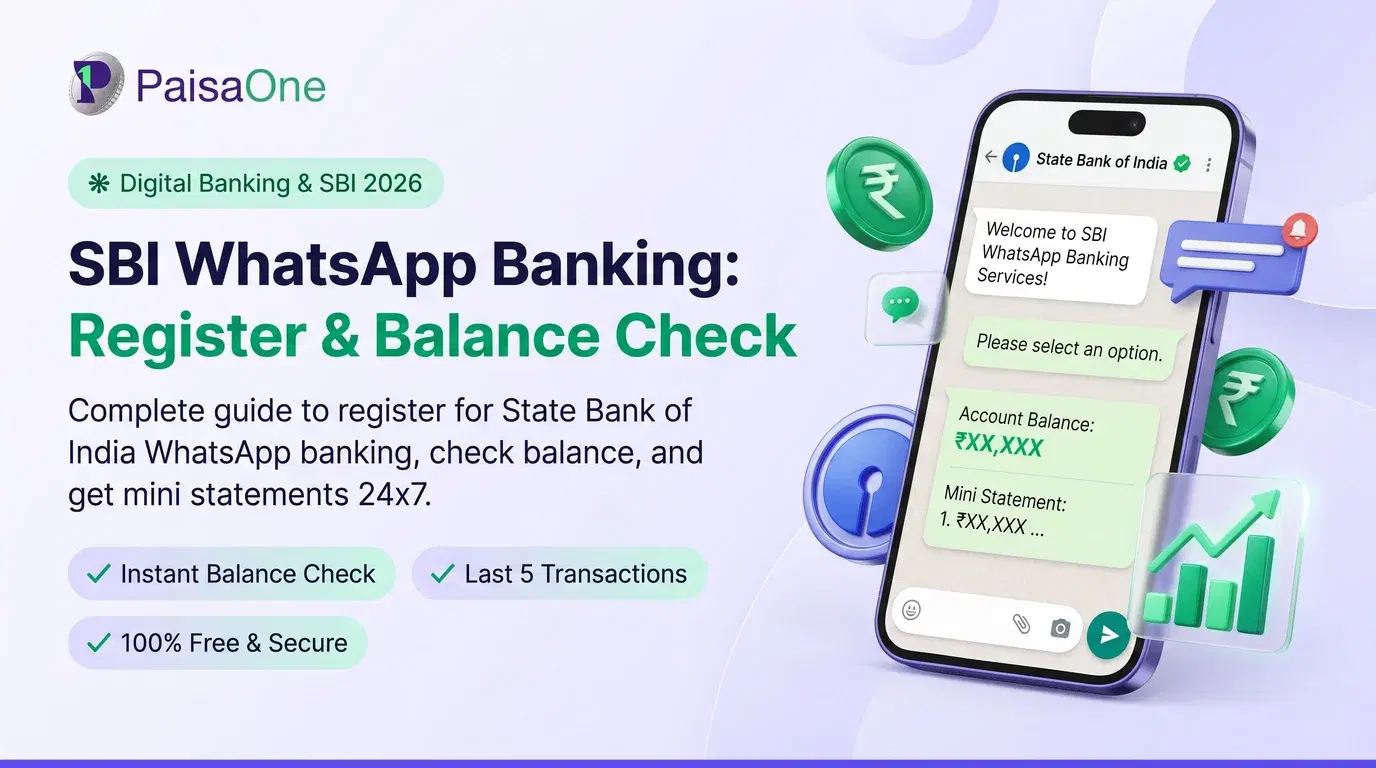
SBI WhatsApp Banking has become India's fastest-growing digital banking channel. Over 2 crore SBI customers now use this service, checking balances, requesting statements, and managing their accounts directly from WhatsApp without opening apps or visiting branches.
But if you're new to it, you probably have questions: Is the number real? Is it safe? What can you actually do? In this guide, we'll answer all of them.
What Is SBI WhatsApp Banking?
SBI WhatsApp Banking is a digital banking service that lets you perform routine transactions through WhatsApp's chat interface. Instead of opening the YONO app or logging into net banking, you simply message SBI's chatbot on WhatsApp.
The official SBI WhatsApp number is +919022690226 (or 90226 90226).
You can:
Check your account balance instantly
View your last 10 transactions (mini statement)
Request cheque books
Download full account statements
Access pension slips
Get information about loans and savings products
Locate nearby ATMs and branches
The service is available 24/7, even on weekends and holidays. And it works for both SBI account holders AND non-customers (though non-customers get access to product info only, not personal account details).
How to Register for SBI WhatsApp Banking (Step-by-Step)
It takes less than 2 minutes. Here's exactly what to do:
Step 1: Save the Official Number Open your phone contacts and save: +919022690226 as "SBI WhatsApp" or "SBI Banking"
Step 2: Open WhatsApp and Send "Hi" Open WhatsApp → Find the SBI contact you just saved → Send a message saying "Hi" or "Hello"
Step 3: Follow the ChatBot Menu SBI's automated chatbot will respond with a menu of options:
Account Balance
Mini Statement
Cheque Book Request
Pension Slip Service
Loan Information
And more...
Step 4: Select Your Service & Authenticate Choose what you need (e.g., "Account Balance") → The system asks for authentication → You receive an OTP on your registered mobile number → Enter the OTP in WhatsApp
Step 5: Get Your Information Your balance or statement appears directly in the WhatsApp chat within seconds.
That's it. No app downloads. No complex passwords. No login credentials to remember.
Is SBI WhatsApp Number Really Official? (Verification)
Yes. +919022690226 is SBI's official WhatsApp number. This is verified by:
SBI's official website (sbi.bank.in/whatsapp-banking) lists this exact number
The SBI mobile banking platform (mobilityretail.sbi) confirms it
Every official SBI statement points to this number
How to stay safe: Never click links in random messages claiming to be from SBI. Always go directly to SBI's official website first, then find the WhatsApp number there. If someone sends you a WhatsApp message from SBI claiming to be from a different number, it's a scam.
All SBI WhatsApp Banking Services Explained
1. Account Balance Enquiry
Check your current balance instantly. Works for all account types (savings, current, loan accounts). For business accounts (sole proprietors), you also see book balance and renewal dates.
2. Mini Statement
See your last 10 transactions with dates, amounts, and descriptions. Perfect for quick verification that a payment went through or to check recent deposits.
3. Full Account Statement
Download your complete account statement (up to 250 transactions) as a password-protected PDF sent directly to WhatsApp. Statement covers any date range you choose.
4. Pension Slip Service
If you're a pensioner, receive your monthly pension slip showing pension amount, deductions, and net payment. No need to visit the branch or call customer care.
5. Cheque Book Request & Status
Request a new cheque book directly from WhatsApp instead of visiting a branch. You can also check the status of your pending cheque book order.
6. Interest Certificates
Get tax documents for home loan interest, education loan interest, or fixed deposit interest, essential for filing income tax returns. Delivered as secure PDFs.
7. Loan Products Information
Learn about all of SBI's loans without calling a sales executive:
Personal loans (current rates, eligibility, features)
Home loans
Education loans
Gold loans
Agricultural loans
Car loans
Plus FAQs and interest rates for each.
8. Savings & Deposit Products
Explore savings accounts, recurring deposits, fixed deposits, with features, eligibility criteria, and current interest rates.
9. NRI Account Services
For Non-Resident Indians: Learn about NRE (Non-Resident External) and NRO (Non-Resident Ordinary) accounts, features, benefits, and rates.
10. Instant Account Opening
Get information about opening new SBI accounts online, with eligibility requirements and FAQs.
11. Branch & ATM Locator
Find the nearest SBI branch or ATM. Useful when you're in an unfamiliar area.
12. Grievance Redressal
Report issues and contact customer support if you face any problems.
Read More: Government Banks in India: Complete List of 12 PSU Banks
Which Service for Your Situation?
If You're a Salaried Employee
Use WhatsApp Banking to: Check monthly salary deposits, download statements for loan applications, verify account balance before making large purchases.
Then apply for loans on PaisaOne: "Verified your salary deposits via SBI WhatsApp? Now apply for personal loan or home loan on PaisaOne to compare rates across 20+ lenders."
If You're a Business Owner
Use WhatsApp Banking to: Track daily cash flow, monitor deposits from customers, check account balance before paying suppliers, request cheque books for customer payments.
Then apply for business loans: "Monitor your business account health on WhatsApp, then apply for business loans on PaisaOne."
If You're a Pensioner
Use WhatsApp Banking to: Check monthly pension deposits, verify pension slip, monitor account balance, access account statements for financial planning.
No loan application needed, just use WhatsApp banking to stay updated.
If You're a Farmer
Use WhatsApp Banking to: Check agricultural loan disbursements, monitor account activity, access account statements, request certificates for government schemes.
Apply for agricultural loans: "Verify your loan disbursements on WhatsApp, then explore better terms on PaisaOne."
If You're Not an SBI Customer Yet
Use WhatsApp Banking to: Explore loan rates, deposit rates, account types, and eligibility. Then decide if SBI is right for you, or compare with other banks on PaisaOne.
Is SBI WhatsApp Banking Safe & Secure?
Yes, it's highly secure. Here's why:
WhatsApp's End-to-End Encryption: All your messages are encrypted with military-grade AES-256 encryption. Only you and SBI's system can read them.
What SBI Never Asks For: SBI will NEVER ask for:
Your complete account number (they use only last 4 digits)
Your CVV (card security code)
Your net banking password
Your complete CIF (Customer Information File) number
If someone claiming to be SBI asks for these, it's 100% a scam.
OTP Verification: Every service requires OTP (One-Time Password) authentication sent to your registered mobile. This two-factor authentication ensures only you can access your account.
Comparison: WhatsApp banking is actually MORE secure than checking balance on net banking via public WiFi. The encryption is stronger, and you're not entering passwords on potentially unsecured networks.
SBI WhatsApp vs. YONO App vs. Net Banking: What's the Difference?
Bottom Line: Use WhatsApp for quick info (balance, statements). Use YONO for transfers and payments. Use net banking on desktop for detailed analysis.
Troubleshooting Common Issues
OTP Not Received
Reason: Your mobile number might not be registered with SBI, or you're on a network without signal. Solution: Wait 5 minutes (SMS can be delayed). If still nothing, contact SBI at 1800-425-3800 to update your registered mobile number. Then try again.
Service Not Working/ChatBot Not Responding
Reason: Server maintenance or high traffic during peak hours. Solution: Wait 15 minutes and try again. If it persists, contact SBI support. Usually resolved within an hour.
Account Not Linked/Registration Failed
Reason: You might have registered on WhatsApp using a different number than your SBI account registration. Solution: Contact SBI customer care with your account details. They'll link your current WhatsApp number to your account.
Balance Showing Incorrect Amount
Reason: Balance might not have updated if deposits are still processing (typically updates within 2 hours). Solution: Wait 2-3 hours and check again. If still incorrect, contact customer care.
Messages Not Being Delivered
Reason: Internet connection issue or WhatsApp server problem. Solution: Check your internet connection, restart WhatsApp, try again. If persistent, verify you're messaging the official number (+919022690226).
Frequently Asked Questions
Q: Can I transfer money via SBI WhatsApp Banking?
A: No, not yet (as of June 2026). WhatsApp Banking is limited to information retrieval and requests. For transfers, use YONO app or net banking. SBI may add this feature in future updates.
Q: Is there any charge for WhatsApp Banking?
A: No, it's completely free. You only pay for your internet/data usage (minimal, as it's just text messaging).
Q: How many accounts can I check via WhatsApp Banking?
A: You can check all accounts linked to your registered mobile number. The chatbot shows all of them and lets you select which to check.
Q: What if I have multiple SBI accounts?
A: All accounts linked to your registered mobile will be accessible. When you request balance, the chatbot shows all accounts and asks you to choose which one.
Q: Is WhatsApp Banking available outside India?
A: Yes, as long as you have an active WhatsApp and internet connection. NRI customers especially benefit from this.
Q: Can non-SBI customers access anything?
A: Yes, limited services: loan/deposit product information, branch/ATM locator, account opening information, and product FAQs. You can't check balance or view statements without an SBI account.
Next Steps: From WhatsApp Banking to Loans on PaisaOne
SBI WhatsApp Banking is great for monitoring your accounts. But to leverage your financial health into better loan terms, you need to compare options.
Here's the path:
Check Your Financial Health on WhatsApp
Verify salary deposits
Monitor account balance
Review spending patterns via mini statement
Calculate Your Eligibility on PaisaOne
Use our loan eligibility calculator
Input your verified income
Get approved loan amounts from multiple lenders
Compare Loan Offers
SBI personal loan (from WhatsApp banking info)
20+ other government and private banks
See rates side-by-side on PaisaOne
Apply with One Click
Apply to multiple lenders without impacting credit score
Soft inquiry means balance checking on WhatsApp doesn't hurt you
Get approval within 24-48 hours
Understanding your SBI account through WhatsApp is step one. Finding the best loan rates for your profile on PaisaOne is step two.
Start with WhatsApp banking today. Your better financial future begins with information.
Liked this article?
Share it with your friends or get an instant summary with AI.
Divya
Divya Kumari is an SEO & Content Strategist with experience in organic traffic growth, topical authority building, and content-led SEO strategies. She specializes in creating user-focused content for finance and SaaS websites, helping brands improve visibility through structured content planning, internal linking, and search optimization techniques.